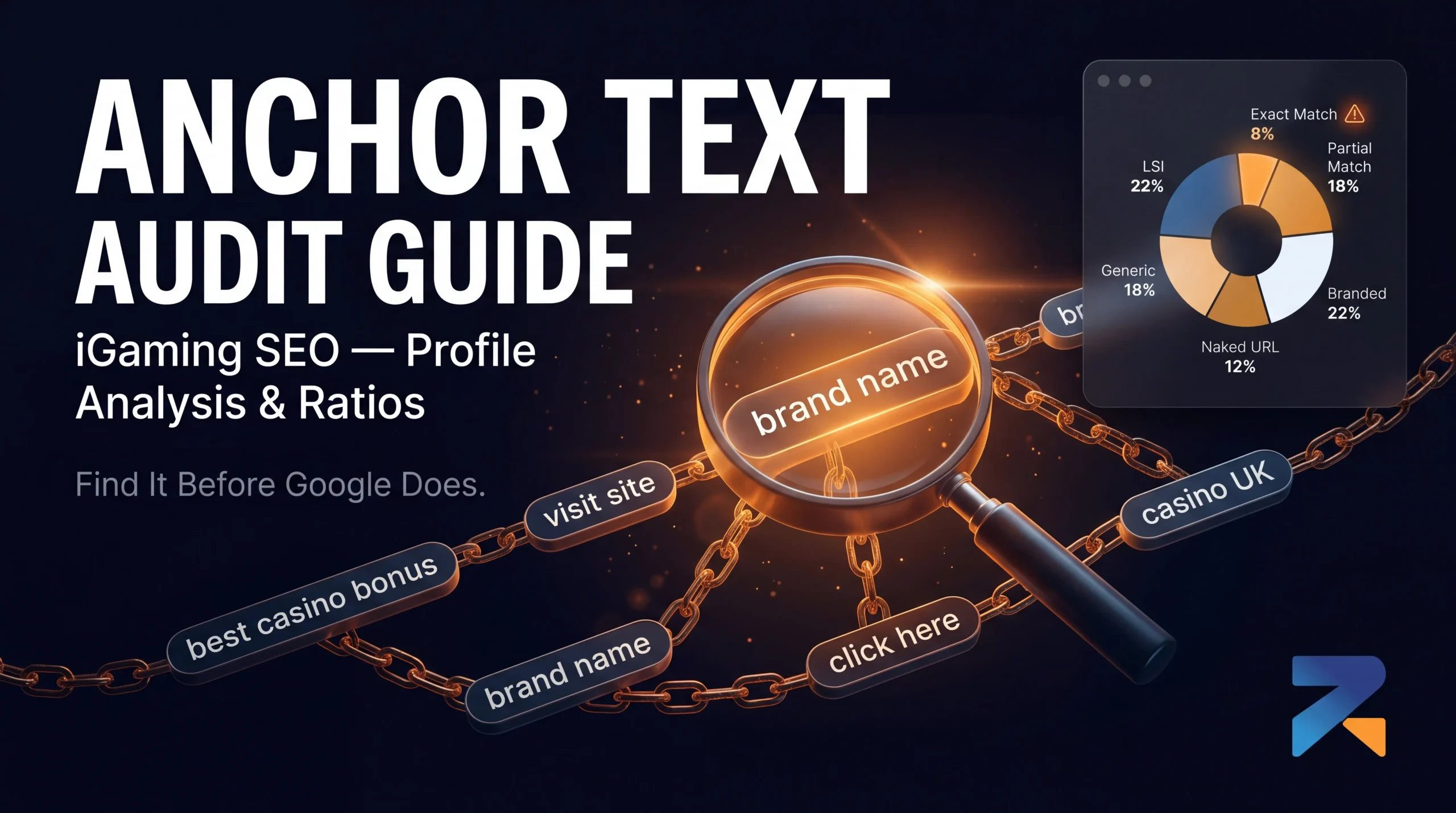

Most iGaming operators don’t audit their anchor text until something breaks. Rankings stall for two months, a manual review notice appears in Search Console, or a competitor suddenly jumps them on a page they’d owned for a year. Then the scramble starts.
The problem is almost always visible before the damage happens. Anchor text leaves a fingerprint. And if you know what an unhealthy fingerprint looks like, you can catch it before Google does.
This isn’t the same as auditing a domain before you buy it. That’s about the domain’s history. An anchor text audit is about what your live backlink profile says right now — the signal pattern Google sees every time it crawls the links pointing to your money site. In iGaming, that signal gets scrutinized harder than almost any other niche.
Here’s how to run it properly: what data to pull, what numbers to look for in each anchor type, and what to do when the profile is off.
Why Anchor Text Profiles Matter More in iGaming Than Anywhere Else
Google treats gambling content as YMYL — Your Money or Your Life and that same classification is exactly why aged domains are the preferred foundation for iGaming SEO: established trust signals that new domains simply don’t have. The same category as medical advice and financial services. That classification means the algorithm applies elevated scrutiny to every trust signal, including who’s linking to you and how.
In a low-competition niche, a slightly over-optimized anchor profile might go unnoticed for years. In iGaming — where you’re competing against operators with 7-figure SEO budgets, established affiliate networks, and domains that have been live for a decade — the algorithm has far more data to benchmark your profile against. Anomalies stand out faster. Patterns get flagged sooner.
The other factor: iGaming SEO relies heavily on paid link acquisition, PBN deployments, and aged domain networks. That means your anchor profile didn’t evolve organically. You built it deliberately. And a deliberately built profile that doesn’t look organic is precisely what Google’s link spam systems are trained to detect.
The 6 Anchor Types and the Numbers You’re Targeting
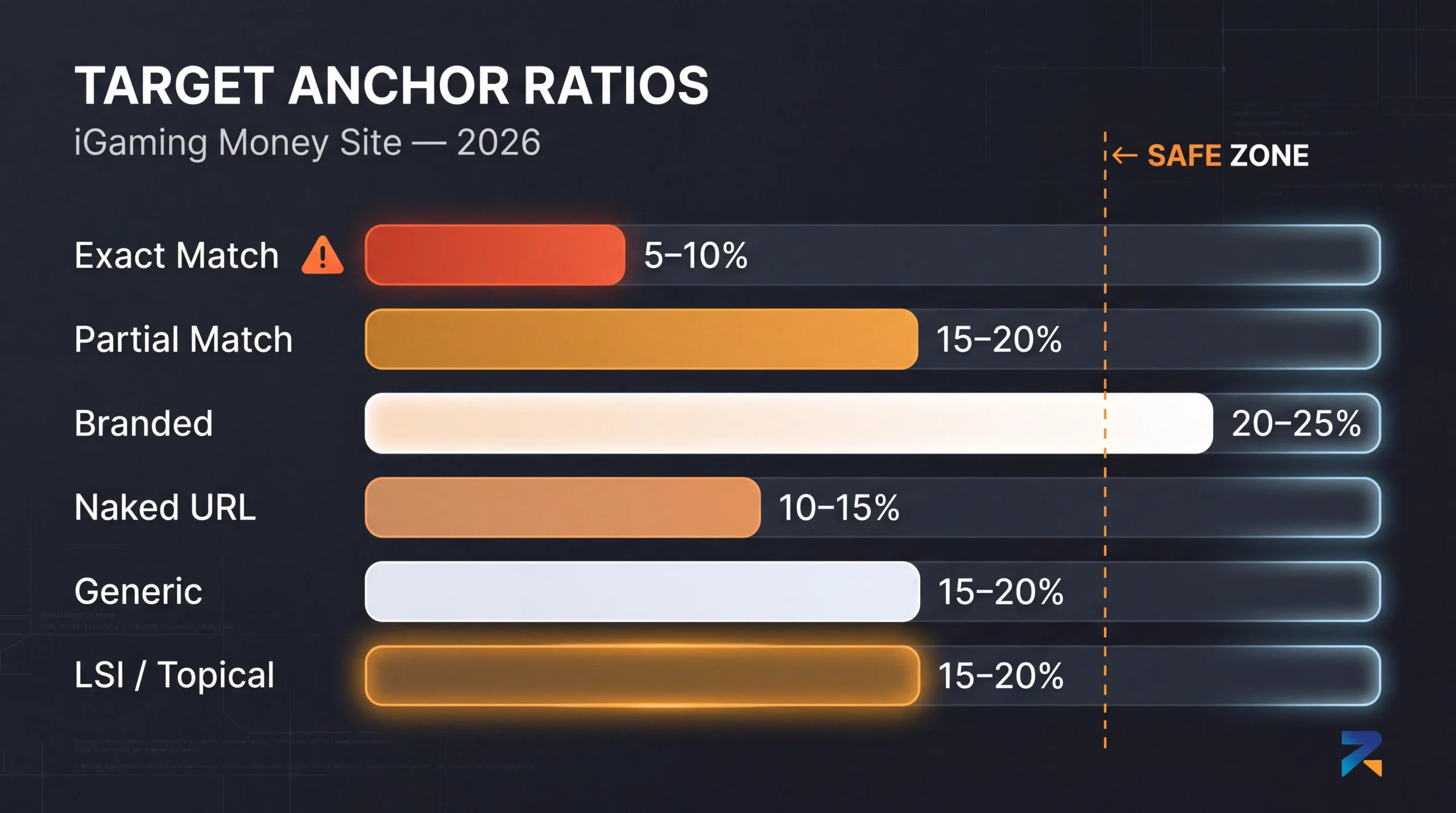
Before you can audit a profile, you need to know what a healthy one looks like. These aren’t theoretical ranges — they’re what consistently holds up in competitive gambling verticals without triggering manual reviews.
Exact Match: 5–10% maximum
Exact match anchors use your primary keyword verbatim. “Best online casino bonus”, “slot sites UK”, “trusted sportsbook Indonesia.” These carry the strongest keyword signal of any anchor type — and they’re the first thing Google flags when the count gets too high.
In iGaming specifically, keep this below 10% of your total anchor profile. Above that threshold, the pattern starts looking like a signal operation rather than natural editorial linking. For tier-1 links pointing directly at your money site, many operators targeting highly competitive markets keep exact match closer to 5–7%.
Partial Match: 15–20%
Partial match includes your target keyword but not verbatim. “Find a reliable casino in the UK here”, “best platform for online sports betting”, “how to pick a legit slot site.” Still topically relevant, harder to flag, reads more like how a human writer would naturally reference a page.
This is your working keyword anchor range. You can push the upper end of this safely when your branded and generic ratios are healthy.
Branded: 20–25%
Branded anchors use your domain or brand name. “Betway bonus page”, “visit 888casino”, “Rexusdomain aged domains”. No keyword signal, but enormous credibility signal.
Most people underweight this. Here’s the thing: when a site is genuinely being referenced across the web, people link by brand name — because that’s how writers reference things they actually know. A profile with almost no branded anchors reads as manufactured, because organic link acquisition almost always produces branded mentions as a natural byproduct. Don’t skip this.
Naked URL: 10–15%
Naked URLs drop the raw URL as the anchor. “https://yourcasino.com/free-spins” or just “yourcasino.com/bonus-page.” Common in forums, roundups, comparison pages, and less polished editorial content. It looks human because it is how humans often link when they’re not thinking about anchor text.
Combined with branded, naked URL anchors form the baseline of what an organic link profile actually looks like. Keep these two combined in the 30–40% range.
Generic: 15–20%
“Click here”, “read more”, “check the full list”, “visit this page.” Zero keyword value. That’s exactly the point.
A link profile with no generic anchors looks like it was assembled in a spreadsheet, because natural link acquisition always produces some percentage of generic anchors from writers who aren’t thinking about SEO. The absence of generics is itself a red flag. Build these in deliberately, especially when you’re running an aged domain PBN and controlling every anchor.
LSI and Topical: 15–20%
Semantically related anchors without being exact match. “RTP comparison by provider”, “wagering requirements explained”, “live dealer casino regulation Europe”, “how sports betting odds are calculated.” These build topical density around your niche without touching exact match percentages.
This is the safest place to increase keyword relevance when you’ve already hit your exact match ceiling. And since 2024, every core update has continued shifting Google’s relevance signals toward entity recognition and topical authority. Operators who’ve leaned into topical anchor diversity are compounding rankings through updates. Operators still chasing exact match volume are getting clipped.
How to Pull Your Anchor Text Data
You need two data sources. One gives you the full picture. The other confirms what Google actually sees.
Ahrefs or Semrush (primary source)
In Ahrefs: go to Site Explorer → enter your money site URL → click “Anchors” in the left menu. You’ll see every anchor text string, the number of referring domains using it, and the number of backlinks.
Export the full list as a CSV. Don’t work from the tool UI — you need to be able to sort, filter, and categorize across potentially hundreds of anchor variations.
In Semrush: Backlink Analytics → Anchors tab → same process. Export the full data.
One important note: Ahrefs and Semrush won’t show 100% of your backlinks. No tool does. But they’ll show enough of the profile — typically 80–90% of significant referring domains — to give you an accurate picture of how the distribution sits.
Google Search Console (verification layer)
GSC doesn’t give you an anchor text breakdown directly, but it shows which referring domains Google has actually registered. Cross-reference the domains in your tool export against what GSC shows as crawled referring sites. If you see high-authority domains in Ahrefs that don’t appear anywhere in GSC, those links may not be getting counted — which affects how you interpret the profile.
Running the Actual Audit: Step by Step
Step 1: Export and categorize
Take your Ahrefs or Semrush anchor export. Go through every anchor and assign it one of the six categories: exact match, partial match, branded, naked URL, generic, or LSI/topical.
This takes time. For a site with 50+ referring domains, expect 2–3 hours for a thorough categorization pass. Don’t skip anchors because they look unimportant. Low-volume anchors pointing to inner pages matter too.
Step 2: Calculate percentages by referring domain count
Don’t calculate by backlink count — that inflates anchors from domains that link to you multiple times. Calculate by referring domain count. If 8 out of 80 referring domains use exact match anchors, that’s 10%. That’s your real anchor distribution as Google sees it.
Step 3: Map anchors to target pages
Look at which pages are receiving each anchor type. Is your homepage getting all the exact match weight? Are inner pages getting any authority-passing anchors at all? A healthy profile distributes keyword anchors across multiple target pages — homepage, geo-specific landing pages, category pages, review pages. A profile where every exact match anchor points at one URL is its own kind of flag.
Step 4: Check for anchor clustering
Pull the exact match and partial match anchors and look at how many different referring domains are using the same string. If three or more domains are sending the same exact anchor to the same page within a 60-day window, that’s a cluster. Clustering is one of the clearest detectable patterns in iGaming link audits.
It doesn’t have to be the same day. Google looks at velocity across windows. Five domains sending “best online casino Thailand” to the same URL over two weeks is a spike even if each link came from a different source.
Step 5: Benchmark against the target ranges
Map your actual percentages against the healthy ranges:
| Anchor Type | Healthy Range | Warning Zone |
|---|---|---|
| Exact Match | 5–10% | Above 12% |
| Partial Match | 15–20% | Above 25% |
| Branded | 20–25% | Below 10% |
| Naked URL | 10–15% | Below 5% |
| Generic | 15–20% | Below 8% |
| LSI/Topical | 15–20% | Below 5% |
If any category sits in warning zone territory, that’s where your audit flags a problem.
Red Flags That Warrant Immediate Action
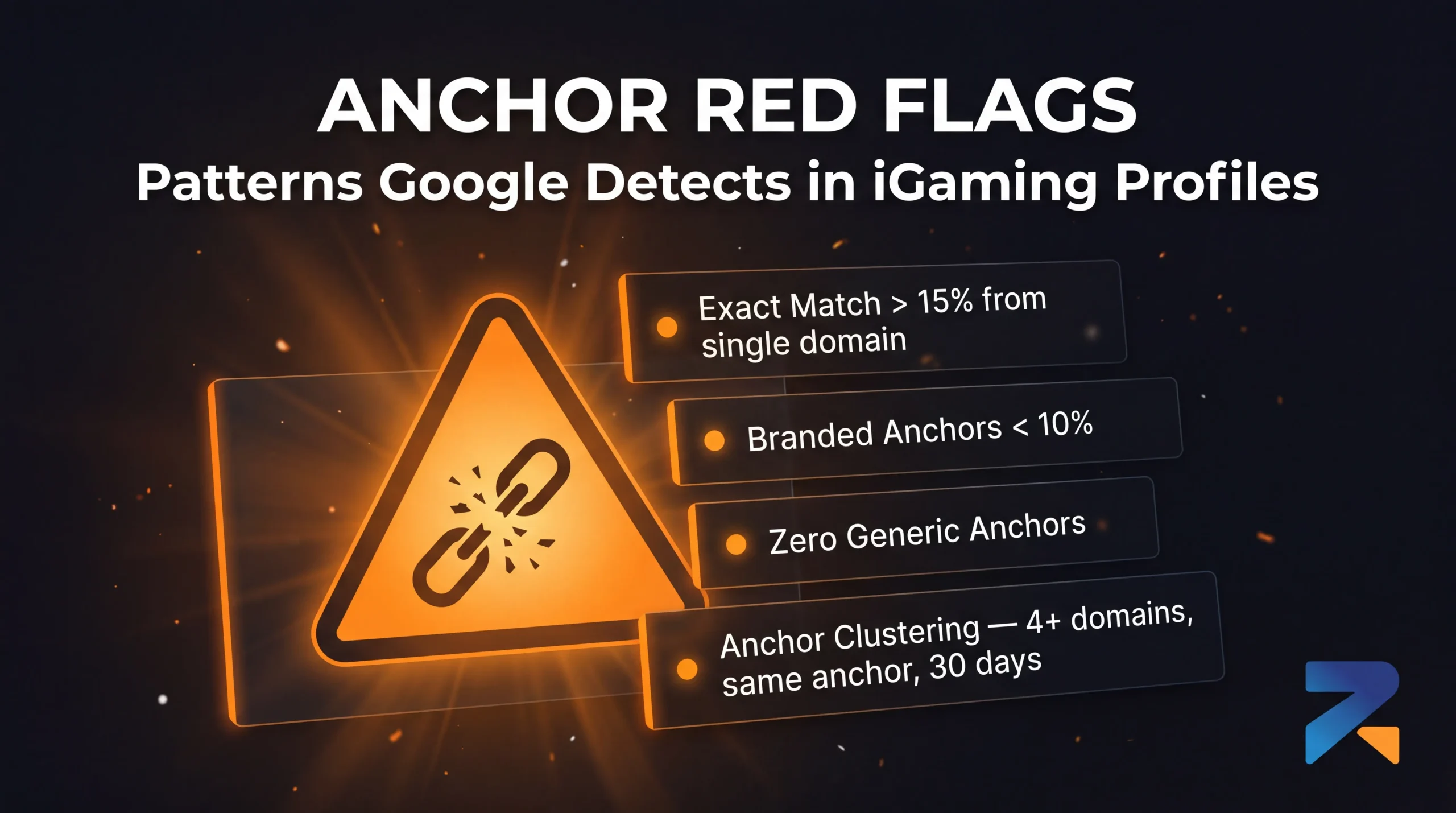
Exact match above 15% from a single domain
If one aged domain is sending multiple links to your money site and the majority are exact match, that domain is creating a concentrated anchor signal. The issue isn’t the domain — it’s what the pattern looks like from Google’s vantage point. One domain contributing 5+ exact match anchors to one target page stands out, especially if the domain has a strong DR and clean history.
Branded anchors below 10%
This is the single most common profile problem we see in iGaming setups built primarily through PBN deployments and paid link acquisition. When every link was placed by someone following an anchor brief, branded mentions get skipped because they “waste” link equity. The result is a profile that has no editorial behavior — it looks like it was assembled, not accumulated. Below 10% branded, you’re in territory that reads as manufactured.
Zero generic anchors
No “click here.” No “read more.” No “visit this page.” Every backlink has a keyword in it, branded or otherwise. This pattern doesn’t exist in organic link profiles because real writers don’t think about anchors. The absence of generics is a tell that every link was placed deliberately. Mix them in even when it feels like you’re wasting placement.
Topical mismatch anchors
Anchors that have nothing to do with your niche — “best insurance comparison UK” pointing from a finance site to a casino landing page — suggest either spam injection or a seller who placed gambling links on an irrelevant domain to inflate volume. These should be investigated and potentially disavowed if they’re coming from sites with no topical relationship to your content. The aged domain audit framework covers how to trace the history of suspicious referring domains.
Anchor clustering across multiple domains, same window
Covered above — but worth repeating as a standalone red flag. If your audit shows 4+ domains sent variations of the same anchor to the same URL within 30–45 days, that’s a velocity pattern. Even if each link came from a clean domain, the cluster is the problem.
What to Do When the Numbers Are Off
If exact match is too high: Stop adding exact match anchors immediately. Start building branded, generic, and naked URL links to dilute the ratio. Don’t disavow the over-optimized links unless they’re coming from toxic domains — removing good links to fix an anchor ratio is the wrong move. Fix the ratio by adding to the other categories, not removing from this one.
If branded is too low: Run a manual outreach campaign specifically for brand mentions. Guest posts, round-up inclusions, community participation — any placement where you’re being referenced by brand name rather than keyword. This is also where Web 2.0 profiles, social mentions, and forum participation help: not for direct ranking value, but for branded anchor diversity that makes the profile look less assembled.
If you have anchor clustering: Slow down new link acquisition to that target page. Let 30–45 days pass before adding more links pointing to the same URL. Meanwhile, build links to other pages on the site to shift where anchor weight is accumulating. Velocity spikes resolve faster if you redirect new link activity elsewhere while the cluster ages.
If you find spam or injected anchors you didn’t place: Build a disavow file immediately. Document every suspicious domain, add them at the domain level (not just URL level), and submit through GSC’s disavow tool. If you’ve already received a manual action, this becomes part of your reconsideration request. Don’t wait to see if Google ignores them. The iGaming recovery guide covers the full reconsideration process if you’re already past the penalty stage.
How Often to Run This Audit
Quarterly minimum for active iGaming money sites. Monthly if you’re running an aggressive link acquisition campaign or deploying multiple aged domains simultaneously.
New link placements take 2–6 weeks to be crawled and registered by Ahrefs and Semrush. That means the profile you see today reflects link activity from 4–8 weeks ago. If you’re building fast, you’re always looking at a slightly lagged picture.
The operators who catch anchor problems before they become penalties are the ones who treat the profile as a live document — not something they check once at the start and assume will stay healthy.
That’s the difference between a link strategy and a link operation. One is managed. The other runs until something breaks.
If you’re building your anchor profile on top of aged domains and want the foundation to be clean from the start — domains with verified history, audited backlink profiles, and the kind of authority that passes real equity — browse the Rexusdomain inventory and filter by the niche and DR that fits your current setup.
Related Guides
- Best Aged Domain Marketplace for iGaming SEO (2026)
- Best aged domain marketplaces 2026 — top 7 platforms ranked
- How to Build a PBN for iGaming SEO Using Aged Domains
- Where to Buy Aged & Expired Domains in 2026: The Complete Buyer’s Guide
- Aged Domain Sellers You Can Trust: How to Vet a Premium Marketplace
Sources & Further Reading
Frequently Asked Questions
How do I perform an anchor text audit on an acquired aged iGaming domain?
Export the full anchor text report from Ahrefs Site Explorer (Anchors tab) for the acquired aged domain. Sort by referring domains (not total backlinks) to see true diversity. Group anchors into: branded, exact-match keyword, partial-match keyword, generic, and naked URL categories. Calculate percentage of total referring domains each category represents. Flag any single anchor text phrase exceeding 15% — this indicates over-optimisation risk before deploying the domain for iGaming use.
What anchor text ratios should I target for an iGaming site?
Target anchor text ratios for competitive iGaming sites: branded anchors 35-45%, naked URL anchors 15-20%, generic anchors (click here, read more) 15-20%, partial-match keyword variations 15-20%, exact-match keywords under 10%. Sites targeting grey-market or high-competition casino and sports betting keywords should stay below 5% exact-match to avoid algorithmic over-optimisation triggers from Google Penguin-era systems still active in 2026.
What tools are best for anchor text audit on an aged iGaming domain?
For comprehensive anchor text auditing: Ahrefs (primary tool — most accurate index, best anchor grouping), Majestic (topical anchor analysis with Trust Flow categories), and SEMrush (cross-validation and historical anchor velocity). For domains with suspected spam history, Spamzilla provides anchor text pattern analysis specifically designed for expired domain due diligence. Use at least two tools since each crawls a different index, catching anchors the other misses.
How do I fix over-optimised anchor text on an aged iGaming domain I just acquired?
You cannot change existing anchor text created by third-party sites — only the linking site owner can edit their content. The fix is dilution: build new backlinks with branded, generic, and URL anchors to reduce the percentage share of over-optimised exact-match anchors below the 10% threshold. Target a minimum of 30-50 new referring domains with diversified anchors before beginning aggressive keyword-specific link campaigns on the acquired aged domain.
Should I include internal anchor text in my iGaming anchor text ratio analysis?
Analyse internal and external anchor text separately. External anchor text ratios are the primary over-optimisation signal for Google Penguin — these come from third-party sites you cannot control. Internal anchor text ratios are editorial choices you control entirely. Maintain keyword-rich internal anchor text (30-40% exact-match is acceptable internally) since it reinforces topical relevance signals without triggering external manipulation penalties. Blend both in an audit but act on them differently.
How frequently should I audit anchor text on an active iGaming link building campaign?
Audit anchor text monthly during active link-building campaigns for iGaming money sites. New links can shift anchor ratios quickly — a burst of 20 exact-match anchors from a single outreach campaign can push ratios above safe thresholds. Use Ahrefs anchor text filtering by date range to monitor only new link acquisitions. Review the full profile ratio quarterly and recalibrate anchor targets for new campaign batches based on the cumulative ratio trend.