
How to Buy Aged or Expired Domains: A Step-by-Step Guide (2026)
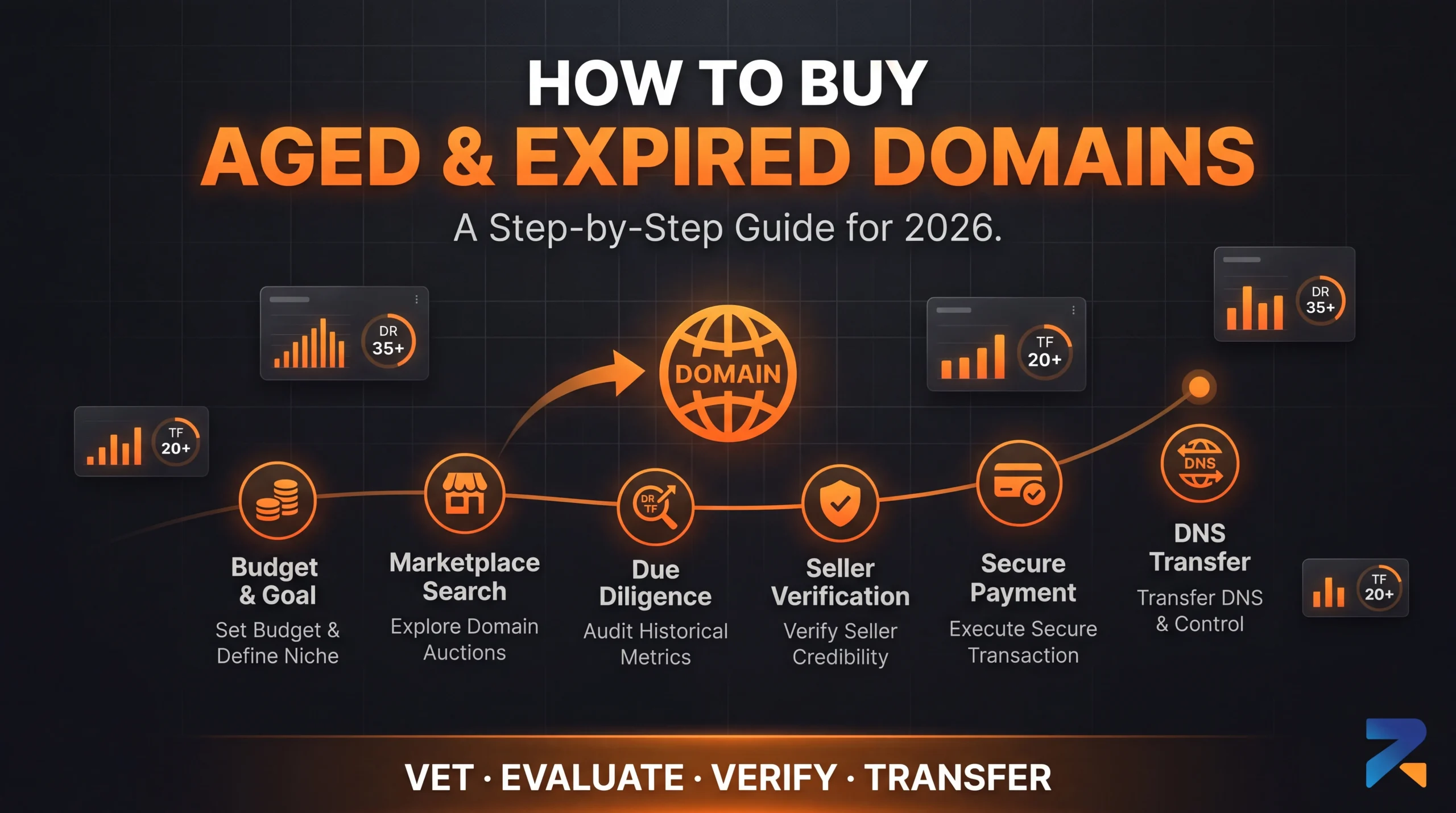
Buying an aged or expired domain means defining your use case, sourcing from a vetted marketplace or auction, evaluating the domain’s authority and history, verifying the seller, then completing payment and transfer — typically a same-day to 48-hour process end to end. This guide walks through each step so you buy aged domains or buy expired domains with a clean history instead of an expensive liability.
Step 1: Define What You Need Before You Shop
Before browsing any inventory, decide three things: budget (aged domains generally range from under $100 for young, low-authority names to well over $1,000 for high-authority, niche-relevant domains), niche (a domain with prior content and backlinks relevant to your target niche is worth more than raw authority alone), and use case — a direct rebuild, a 301 redirect into an existing site, or a PBN (Private Blog Network) node each have different requirements for how strict the history check needs to be.
Step 2: Choose Where to Buy
You can buy aged domains or buy expired domains from three main sources: curated marketplaces that manually vet listings before selling (faster, higher price, lower risk), auction and backorder platforms that let you bid on domains as registrations lapse (more inventory, more due diligence required on your end), and community/forum marketplaces (BlackHatWorld, NamePros) where reputation is peer-verified rather than platform-verified. See our seller vetting checklist for how to tell which sellers are actually trustworthy before you commit to one.
Step 3: Evaluate the Domain Before You Buy
This is the step most buyers rush, and the one that determines whether the domain is an asset or a liability. Check:
- Backlink profile — pull a live Ahrefs or Majestic report. Look at referring domain quality and topical relevance, not just the raw Domain Rating number.
- Content history — check the Wayback Machine for every era of the domain’s life. A domain that was ever a parked page, spam farm, or off-topic site carries risk even if current metrics look clean.
- Manual action / penalty status — ask the seller to confirm Search Console history in writing. A domain with an unresolved manual action is effectively worthless for SEO purposes.
- Prior use in your specific niche — a domain previously used for iGaming, finance, or health content behaves differently under Google’s guidelines than a generic domain repurposed into those niches.
Step 4: Confirm the Seller Before You Pay
Even a domain with clean metrics is a bad purchase from an untrustworthy seller. Before paying, confirm the seller discloses its vetting process in writing, offers fixed and itemized pricing (not vague “starting from” figures), and has a verifiable reputation beyond its own sales page. Full breakdown: Aged Domain Sellers You Can Trust.
Step 5: Pay and Complete the Purchase
Reputable marketplaces support secure payment methods (card, crypto, or both) and disclose their pricing upfront — you should never be negotiating a domain’s price through back-and-forth messages with no stated floor. On RexusDomain, once payment clears, transfer processing begins immediately.
Step 6: Transfer and Set Up the Domain
After purchase, the domain is transferred to your registrar account — on RexusDomain this typically completes within 24 hours. Once transferred: point DNS to your hosting or redirect target, decide whether you’re rebuilding original-style content, 301-redirecting into an existing property, or using it as a PBN node, and monitor Search Console for the first few weeks to confirm indexing and rankings behave as expected before scaling any strategy that depends on it.
Frequently Asked Questions
How long does it take to buy and receive an aged or expired domain?
The buying process itself (evaluation, payment) can take as little as an hour once you’ve found a domain you trust. Transfer to your registrar typically takes up to 24 hours after payment clears on a reputable marketplace.
What’s the safest way to buy an aged domain for the first time?
Start with a curated marketplace that discloses its vetting process in writing rather than an unvetted auction, and independently verify the backlink profile, content history, and penalty status yourself before paying, even if the seller provides their own report.
Can I buy an expired domain that still has an active manual action?
You can, but you shouldn’t unless you specifically intend to disavow and rebuild it from scratch — an unresolved manual action passes directly to the new owner and can suppress rankings indefinitely until resolved.
Do I need a registrar account before I buy?
Yes — you’ll need an active account with a domain registrar to receive the transfer. Most marketplaces, including RexusDomain, require you to specify or confirm your receiving registrar as part of checkout.
Related Guides
- Best Aged Domain Marketplace 2026: Top 7 Platforms Reviewed
- Where to Buy Aged & Expired Domains in 2026: The Complete Buyer’s Guide
- Aged Domain Sellers You Can Trust: How to Vet a Premium Marketplace
- How to Pay Safely When Buying an Aged or Expired Domain
- How to Resell or Flip an Aged Domain: Exit Strategy, Valuation, and Where to List It
Sources & Further Reading