
Does an HTTPS Migration Reset Trust on an Aged Domain That Was Never Secured?
No — moving an aged domain from HTTP to HTTPS is treated by Google as a site move, not a trust reset, and Google has explicitly encouraged HTTPS migrations for over a decade. The risk isn’t the protocol change itself; it’s an incomplete migration that leaves mixed content, broken redirects, or duplicate HTTP/HTTPS versions competing for the same rankings.
Last updated: September 2026.
Why HTTPS Migration Doesn’t Reset Domain Trust
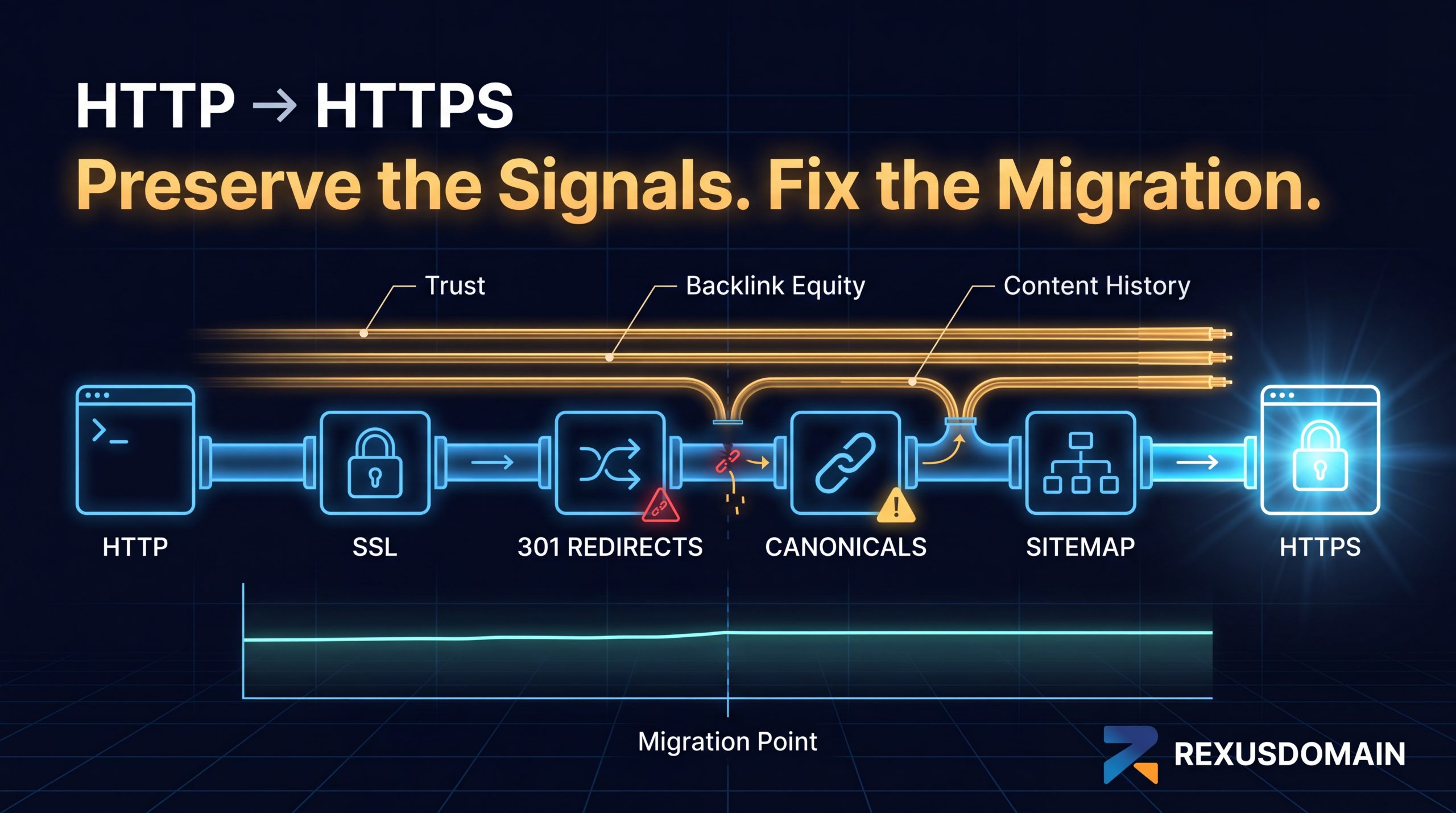
Google’s own guidance frames HTTPS as a lightweight ranking signal in its own right, not a disruption to existing signals — backlink history, content history, and accumulated trust all carry forward through a protocol change as long as the migration correctly maps every HTTP URL to its HTTPS equivalent via 301 redirects. This is fundamentally the same site-move mechanism Google uses for domain changes, just with a smaller scope.
What Actually Goes Wrong in HTTPS Migrations
- Missing or incomplete redirects. If some HTTP URLs don’t 301 to their HTTPS counterpart, Google can end up indexing both versions as separate, duplicate pages, splitting signals between them.
- Mixed content warnings. Images, scripts, or stylesheets still loading over HTTP on an HTTPS page trigger browser security warnings, which hurts user trust and can affect Core Web Vitals if resources fail to load under strict security policies.
- Canonical tags still pointing to HTTP. A leftover canonical tag referencing the old protocol can confuse which version Google treats as authoritative, undermining the migration’s intent.
- Internal links not updated. Even with redirects in place, internal links still pointing to HTTP URLs waste crawl budget on unnecessary redirect hops and slightly dilute link equity flow.
How to Migrate an Aged Domain to HTTPS Cleanly
- Install the SSL certificate and confirm the site loads correctly over HTTPS before touching redirects.
- Set up site-wide 301 redirects from every HTTP URL to its exact HTTPS equivalent — not a blanket redirect to the homepage.
- Update all internal links, canonical tags, and the XML sitemap to reference HTTPS URLs directly, rather than relying on redirects to correct them.
- Add the HTTPS property in Search Console (a new, separate property from the HTTP one) and monitor its Coverage report for a smooth transition of indexed pages.
Frequently Asked Questions
Does migrating an aged domain to HTTPS hurt its existing rankings?
No, not when done correctly. Google treats HTTPS migration as a standard site move via 301 redirects, and existing trust and backlink signals carry over. Problems only arise from incomplete migrations.
Do I need to redirect every HTTP page individually to HTTPS?
Yes. Each HTTP URL should 301 redirect to its exact HTTPS equivalent, not to the homepage or a generic landing page, to preserve page-level signals correctly.
Will mixed content warnings hurt my aged domain’s SEO?
Not directly as a ranking factor, but they undermine user trust and can cause resources to fail loading under strict browser security settings, which can indirectly affect Core Web Vitals.
Should I create a new Search Console property after migrating to HTTPS?
Yes. HTTPS and HTTP are treated as separate properties in Search Console, so you’ll need to verify the new HTTPS property to monitor its indexing and performance data going forward.
Related Guides
Sources & Further Reading