Rexusdomain-Logo
  • Aged Domain
  • News
  • Google Update
  • SEO
    • Igaming
  • Tutorial
  • Comparison
  • Company
    • About Us
    • Term Of Use
    • Privacy Policy
    • Cookie Policy
    • Terms And Conditions
No Result
View All Result
Buy Domain
Rexusdomain-Logo
  • Aged Domain
  • News
  • Google Update
  • SEO
    • Igaming
  • Tutorial
  • Comparison
  • Company
    • About Us
    • Term Of Use
    • Privacy Policy
    • Cookie Policy
    • Terms And Conditions
No Result
View All Result
Rexusdomain-Logo
No Result
View All Result
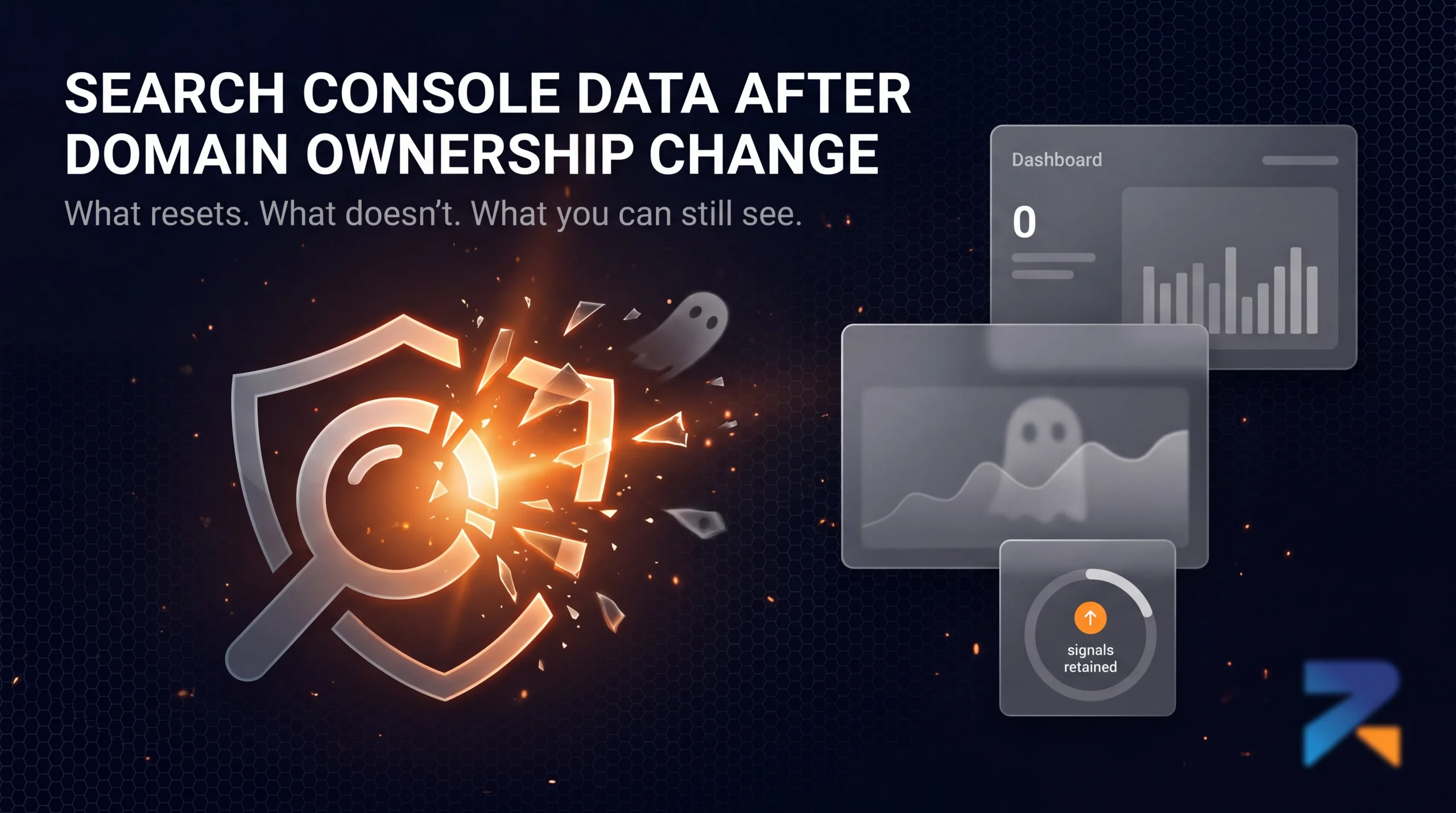
Google Search Console dashboard reset after domain ownership transfer

Does Domain History Show Up in Google Search Console After Ownership Changes?

Rexusdomain by Rexusdomain
August 18, 2026
in Aged Domain, SEO
0
587
SHARES
3.3k
VIEWS
Summarize with ChatGPTShare to Facebook

Does Domain History Show Up in Google Search Console After Ownership Changes?

No when a new owner verifies a domain in Google Search Console, they get a fresh property with no access to the previous owner’s historical performance data, meaning search query, click, and impression history from before the transfer is invisible even though Google’s own systems still hold that context internally.

Last updated: August 2026.

What a New Owner Actually Sees

Search Console reporting is tied to the verified property and the account that verifies it, not to the domain’s underlying history in Google’s index. Once you verify ownership (via DNS record, HTML file, or another supported method), your Search Console dashboard starts reporting from that point forward Performance reports, Coverage data, and Core Web Vitals all begin accumulating fresh, with no retroactive access to what the previous owner saw.

What Doesn’t Reset, Even Though You Can’t See It

The lack of visible historical data in your own Search Console doesn’t mean Google’s index forgot the domain’s past. Indexation status, backlink data Google has crawled, and ranking-relevant signals from the domain’s history remain part of how Google evaluates the site you simply don’t have a dashboard view into that history anymore. This is a common point of confusion: buyers sometimes assume a domain “starts over” because their Search Console looks empty, when in fact only their visibility into the history has reset, not the underlying signals.

How to Reconstruct What You Can’t See in Search Console

  • The Wayback Machine shows historical content, which helps assess what the domain previously published even without Search Console access to how it performed.
  • Third-party backlink tools (Ahrefs, Majestic, Moz) maintain their own historical crawl data independent of domain ownership, giving visibility into the link profile’s history.
  • Asking the seller for a pre-sale export a seller with active Search Console access can export Performance and Coverage data before the transfer, which is worth requesting as part of due diligence if historical performance data matters to your evaluation.

Manual Actions Are a Partial Exception

If a domain has an active manual action at the time of transfer, that status is tied to the site in Google’s systems and will still show up for the new verified owner in Search Console’s Manual Actions report this is one piece of “history” that does carry forward visibly, unlike general performance data.

Frequently Asked Questions

Can I see the previous owner’s Search Console data after buying a domain?

No. Search Console access and historical data are tied to the account that verified the property, not the domain itself. A new owner starts with a fresh dashboard and no retroactive access to prior performance data.

Does Google forget a domain’s history when Search Console shows no data?

No. An empty Search Console dashboard only reflects your account’s lack of prior access Google’s index still retains indexation status, backlink data, and ranking-relevant history from before you owned the domain.

Will a manual action from a previous owner show up in my Search Console?

Yes. Manual actions are tied to the site in Google’s systems, not to a specific Search Console account, so an active manual action will appear for the new owner once they verify the property.

How can I check a domain’s historical performance before buying it?

Ask the seller for a pre-sale Search Console export if they have active access, and supplement it with the Wayback Machine for content history and third-party tools like Ahrefs or Majestic for historical backlink data.

Related Guides

  • How to Set Up Google Search Console on an Aged Domain
  • Does Google Reset a Domain’s Trust When Ownership Changes?
  • Using the Wayback Machine to Vet an Aged Domain

Sources & Further Reading

  • Google Search Console Help — Verify Ownership
  • Wayback Machine — Content History Verification


SummarizeShare235
Rexusdomain

Rexusdomain

RexusDomain is a marketplace for vetted aged and expired domains, focused on domain sourcing, backlink history verification, and due-diligence checks for SEO professionals and domain buyers.

Related Stories

Banner illustration: Does the ccTLD geographic signal reset when domain ownership changes?

Does a ccTLD’s Country Signal Reset When Ownership Changes?

by Rexusdomain
August 23, 2026
0

A ccTLD's geographic ranking signal is tied to the TLD registration itself, not the current owner, so it doesn't reset when a domain changes hands.

Split banner comparing Google and Bing logos shattering into glowing orange shards, illustrating whether domain age matters more for Bing SEO than Google SEO rankings

Does Domain Age Matter More on Bing Than on Google?

by Rexusdomain
August 22, 2026
0

Bing's guidance emphasizes site history and consistency more explicitly than Google's. What that means for aged domain SEO across both engines.

Article banner illustration explaining why an old Google Analytics property cannot be transferred when buying or selling an aged domain.

Should You Reuse an Aged Domain’s Old Google Analytics Property?

by Rexusdomain
August 21, 2026
0

GA4 properties are account-based, not domain-based, so they don't transfer with a domain sale the way Search Console access does.

Banner illustration: Domain Age Checker Tool Accuracy – analyzing the accuracy of domain registration age (WHOIS) versus the domain's active content history.

Are Third-Party “Domain Age Checker” Tools Actually Accurate?

by Rexusdomain
August 20, 2026
0

Domain age checkers accurately report WHOIS registration date, but that date often has little to do with when a domain actually had active content.

Next Post
Google Helpful Content System sitewide signal illustrated with a shattering Google G logo and SEO ranking dashboards for aged domains

Aged Domains and Google's Helpful Content System: What Actually Changed

buy-aged-domain buy-aged-domain buy-aged-domain

Recommended

aged-domain-anchor-text-strategy-igaming

Aged Domain Anchor Text Strategy for iGaming

July 20, 2026
iGaming content silo strategy built on aged domain — site architecture diagram showing topical authority structure

iGaming Content Silo Strategy on an Aged Domain

July 20, 2026

Popular Story

  • Four deployment models for building an iGaming money site on an aged domain

    How to Build an iGaming Money Site on an Aged Domain

    1682 shares
    Share 673 Tweet 421
  • E-E-A-T Signals on an Aged Domain for iGaming SEO: Single Page vs Multi Page

    1304 shares
    Share 522 Tweet 326
  • Best Aged Domain Marketplace 2026: Top 7 Platforms Reviewed

    1060 shares
    Share 424 Tweet 265
  • Tiered Link Building with Aged Domains for iGaming

    1001 shares
    Share 400 Tweet 250
  • Subdomain, Subdirectory, or Root Domain: Aged Domain Edition

    757 shares
    Share 303 Tweet 189
All About Aged Domains For Igaming

Explore

  • Domain Inventory
  • Blog
  • Contact Us
  • Login

Follow Us

Welcome Back!

Login to your account below

Forgotten Password?

Retrieve your password

Please enter your username or email address to reset your password.

Log In
No Result
View All Result
  • Aged Domain
  • News
  • Google Update
  • SEO
    • Igaming
  • Tutorial
  • Comparison
  • Company
    • About Us
    • Term Of Use
    • Privacy Policy
    • Cookie Policy
    • Terms And Conditions